


How to Start a Creative Portfolio Online


Whether you're an artist, photographer, writer, illustrator, designer, musician, filmmaker, or another type of creative, having an online portfolio can be one of the best ways to share your work. Instead of asking someone to imagine what you can do, you can give them a place where they can actually see it.
The good news is that creating an online portfolio doesn't have to be complicated. You don't need to know how to code, hire a professional web designer, or have hundreds of finished projects. A simple, thoughtfully organized portfolio with your strongest work can be much more effective than an elaborate website filled with everything you've ever created.
Your portfolio is essentially your creative introduction. It gives visitors a sense of what you make, how you work, and what makes your approach different. Whether you're hoping to attract clients, apply for jobs, sell your work, connect with other creatives, or simply have a professional home for your projects, an online portfolio can help you get there.
Here's how to get started.
Decide What Your Portfolio Is For
Before choosing a website platform or picking colors and fonts, figure out what you want your portfolio to accomplish.
Are you looking for freelance clients?
Are you applying for creative jobs?
Do you want to sell artwork?
Are you building a professional presence as a photographer?
Do you want to showcase writing samples?
Maybe you're still exploring your creative interests and simply want a place to collect your best work.
Your goal will influence what you include.
For example, a freelance graphic designer may want to emphasize client projects and explain the problems each design solved. A photographer might organize their portfolio by categories such as portraits, weddings, landscapes, or commercial photography. A writer may want separate sections for articles, essays, copywriting, or fiction.
Knowing your purpose makes the rest of the process much easier.
Choose What Kind of Creative Work You Want to Showcase
You don't necessarily need to include every creative skill you have.
If someone visits your portfolio and sees photography, paintings, poetry, graphic design, handmade jewelry, video editing, and five other unrelated categories, they may have difficulty understanding what you actually specialize in.
This doesn't mean you have to limit yourself to one medium.
You can showcase multiple creative interests if they fit together naturally.
The key is creating a clear overall impression.
Think about the kind of work you most want to be known for and make that the focus.
Start With Your Best Work

One of the most important portfolio rules is simple: quality matters more than quantity.
You don't need fifty projects.
You might only need ten strong examples to begin.
Choose work that represents your current abilities rather than pieces you created years ago but no longer feel proud of.
Look for projects that demonstrate different skills while still fitting your overall creative direction.
If you're a photographer, for example, don't include ten nearly identical sunset photographs simply because you like them. Choose images that show different compositions, lighting conditions, subjects, and techniques.
If you're an illustrator, choose pieces that demonstrate your strongest drawing, composition, color, and storytelling skills.
Your portfolio should leave visitors wanting to see more, not wondering when they'll reach the good work.
Don't Be Afraid to Leave Work Out
It can be difficult to remove projects you've spent a lot of time creating.
You may feel that because you worked hard on something, it deserves a place in your portfolio.
But your portfolio isn't an archive of everything you've ever made.
It's a curated collection.
Think of it as an exhibition rather than a storage closet.
If a project doesn't represent your current abilities or the kind of work you want to attract, you don't have to include it.
Organize Your Work Into Categories
Categories make a portfolio easier to explore.
The right categories depend on your creative field.
A photographer might use:
Portraits
Travel
Nature
Events
Editorial
An illustrator might use:
Editorial Illustration
Character Design
Children's Illustration
Personal Projects
Digital Art
A writer might organize work by:
Articles
Blog Posts
Copywriting
Essays
Fiction
Keep your categories relatively simple.
Too many categories can make a small portfolio feel unnecessarily complicated.
Create a Strong Homepage
Your homepage is often the first thing visitors see, so make it easy to understand.
Within a few seconds, someone should be able to tell who you are and what you do.
You might include:
Your name
Your creative specialty
A short introduction
A strong featured image or project
A simple way to explore your work
For example, an illustrator might have a homepage featuring their name, a short statement such as "Illustrator specializing in colorful editorial and children's artwork," and several featured projects.
You don't need a long introduction on the homepage.
Save the deeper information for your About page.
Write a Short Introduction

Your introduction should tell people what you do without sounding like a formal résumé.
You could mention your creative specialty, the type of work you enjoy, the clients or audiences you work with, or the themes that influence your work.
For example:
"I'm a freelance illustrator creating colorful, playful artwork for children's publishing, editorial projects, and personal commissions."
That's much clearer than simply saying:
"I'm a creative person who loves art."
Be specific.
Create an About Page
Your About page gives visitors a chance to learn more about the person behind the work.
You don't need to tell them your entire life story.
Instead, share information that helps them understand your creative background and perspective.
You might include:
Your creative background
What inspires you
Your areas of specialization
Relevant education or training
Professional experience
Types of projects you enjoy
Where you're based, if relevant
How people can work with you
Keep the tone consistent with your personality.
If your work is playful and colorful, your About page doesn't have to sound like a corporate résumé.
Include a Good Photograph of Yourself
A professional or natural-looking photograph can make a portfolio feel more personal.
It doesn't have to be a formal headshot.
Choose a clear photo that represents you well and fits the tone of your work.
For some creative fields, especially freelance work, putting a face to the name can help potential clients feel more comfortable reaching out.
Create Individual Project Pages
If your website platform allows it, give important projects their own pages.
Instead of simply displaying an image, explain the project.
You could include:
Project: Brand identity for a local coffee shop
Goal: Create a warm, approachable visual identity.
My role: Logo design, color palette, packaging, and social graphics.
Process: Developed several visual directions before refining the final concept.
Result: Created a cohesive identity that could be used across packaging, signage, and digital platforms.
You don't have to write this much for every project.
But giving visitors some context can make your work much more meaningful.
Show Your Creative Process

Sometimes the finished product isn't enough.
People are often interested in how you got there.
For a painting, you might show early sketches, color studies, and the finished piece.
For a graphic design project, you might show initial concepts, typography choices, and final designs.
A photographer could show a behind-the-scenes image or explain how a particular lighting setup was created.
A writer might explain the research or editing process behind an article.
Showing process can demonstrate problem-solving skills, not just the final result.
Tell the Story Behind Important Projects
You don't need a long explanation for every piece.
But for major projects, a little storytelling can help.
Explain what you were trying to accomplish.
What problem were you solving?
What inspired the project?
What challenges did you encounter?
What did you learn?
This is particularly useful for creative professionals because potential clients often want to understand not just what you can make, but how you think.
Choose a Clean Design
Your portfolio should showcase your work, not compete with it.
A simple layout is often the safest choice.
Use plenty of white space.
Choose readable fonts.
Keep navigation straightforward.
Avoid overwhelming visitors with animations, decorative elements, or complicated menus.
If you're a visual artist, your website should provide a clean backdrop for your artwork.
If you're a writer, make sure your text is comfortable to read.
The design should support your work rather than becoming the main attraction.
Choose Colors Carefully
Your portfolio doesn't need to be completely black and white.
Color can be part of your creative identity.
But think about whether your color choices work with the projects you're displaying.
A photographer with vibrant, colorful images might prefer a neutral website background so the photographs stand out.
A graphic designer might intentionally use a more distinctive visual identity.
Whatever you choose, prioritize readability and consistency.
Make Navigation Easy
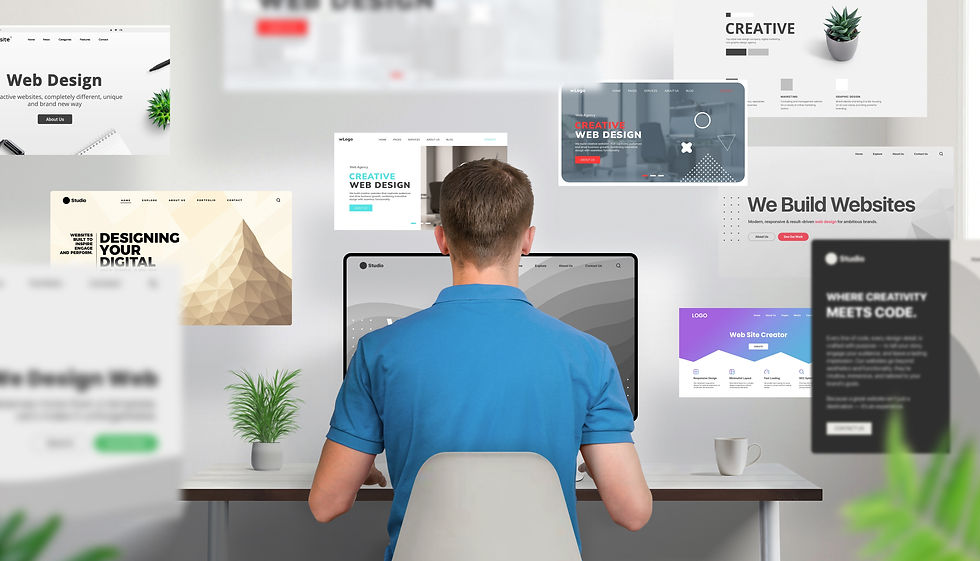
Visitors shouldn't have to figure out how your website works.
Your main navigation might include:
Home
Portfolio
About
Services
Contact
You can add other sections if they're genuinely useful.
Avoid creating a dozen menu items just because your website builder makes it possible.
Simple navigation is usually better.
Choose the Right Platform
You have many options for creating an online portfolio.
Website builders can be a good choice if you want to create a professional-looking site without coding.
Platforms such as Squarespace, Wix, and WordPress offer tools for creating portfolio websites.
There are also platforms designed specifically around creative work and visual portfolios.
The right choice depends on your budget, technical comfort, the type of work you're displaying, and how much control you want over the design.
Don't spend weeks comparing platforms before you've even selected your work.
The platform matters, but the quality and organization of your portfolio matter more.
Consider a Simple Portfolio Platform First
If you're creating your first portfolio, simplicity is an advantage.
Choose a platform that lets you:
Upload your work easily
Create project pages
Customize basic design elements
Add an About page
Create a contact page
Use your own domain name if desired
Make your site mobile-friendly
You can always move to a more advanced website later.
Your first portfolio doesn't have to be your final portfolio.
Get a Custom Domain
If you're building a professional creative career, consider using your own domain name.
Something based on your name is usually a good long-term option.
For example:
If your name isn't available, you might consider a variation that still makes your identity clear.
A custom domain can make your portfolio easier to remember and gives you a more professional web address than a long platform-generated URL.
Make Your Portfolio Mobile-Friendly

Don't assume everyone will view your portfolio from a desktop computer.
Potential clients, employers, and collaborators may discover your work on their phones or tablets.
Check your portfolio on different screen sizes.
Look at your images.
Read your text.
Test your menus.
Make sure buttons and links are easy to tap.
A beautiful desktop portfolio that becomes difficult to navigate on a phone can quickly lose visitors.
Optimize Your Images
Large, uncompressed images can make a portfolio load slowly.
This is particularly important for photographers, artists, and designers who may have large files.
Resize images appropriately for the web and use modern image formats when your platform supports them.
You want your work to look sharp without forcing visitors to wait for enormous files to load.
Keep high-resolution originals stored somewhere safe rather than relying on your website as your only backup.
Add Descriptive Image Titles and Alt Text
Don't simply upload an image with a filename like "IMG_8472.jpg."
Use meaningful titles and descriptions.
For example:
Editorial Illustration: A Woman Reading Beneath a Tree
Descriptive alt text can also make your site more accessible to people using screen readers.
It can also help search engines better understand the content of your pages.
Think About Search Engines
You don't need to become an SEO expert to make your portfolio easier to discover.
Use clear page titles.
Write descriptive project descriptions.
Include relevant terms naturally.
If you're a wedding photographer in Nashville, for example, a page title such as "Nashville Wedding Photography | Your Name" is much more informative than simply calling the page "Portfolio."
Don't stuff your pages with keywords.
Write for people first.
Include Contact Information

If you want people to hire, collaborate with, or contact you, make it easy.
A contact page can include a simple form, professional email address, or both.
You can also include links to relevant social media accounts.
Don't make visitors hunt through your website to figure out how to reach you.
A simple "Contact Me" button in your main navigation can be enough.
Include a Call to Action
Tell visitors what you'd like them to do next.
For example:
Interested in working together? Contact me.
Want to see more of my photography? Explore the portfolio.
Looking for an illustrator for your next project? Let's talk.
A clear call to action gives visitors a natural next step.
Add Testimonials When You Have Them
If you've worked with clients, testimonials can add credibility.
A short statement about your work can help potential clients understand what it's like to work with you.
For example, a client might comment on your communication, creativity, reliability, or ability to understand their vision.
You don't need dozens of testimonials.
A few genuine comments can be valuable.
If you're just starting out and don't have client testimonials yet, don't worry.
You can build them over time.
Include Personal Projects
You don't have to wait until someone hires you to create portfolio-worthy work.
Personal projects can demonstrate your skills and interests.
A photographer can create a themed photo series.
An illustrator can develop a set of character illustrations.
A graphic designer can create a fictional brand.
A writer can publish essays or short stories.
Personal projects can actually be useful because they show potential clients what you are capable of when you're given creative freedom.
Create Projects to Fill Skill Gaps

If your portfolio doesn't demonstrate a skill you'd like to use professionally, create a project that does.
Suppose you're a graphic designer who wants to work with restaurants but has no restaurant clients.
Create a fictional restaurant branding project.
Develop a logo, menu, packaging, signage, and social media graphics.
Now you have something relevant to show.
This is sometimes called a self-initiated or speculative project, and it can be a useful way to demonstrate what you want to do before you have professional examples.
Don't Copy Someone Else's Portfolio
It's perfectly fine to look at other creative portfolios for inspiration.
Notice what you like.
Pay attention to layouts, navigation, typography, project descriptions, and ways people present their work.
But don't try to recreate someone else's portfolio exactly.
Your portfolio should reflect your personality and creative identity.
The goal isn't to make your website look like everyone else's.
Keep Your Social Media Consistent
If you're active on social media, make sure your profiles and portfolio feel connected.
Use the same name, or a consistent variation.
Use a similar profile photograph or visual identity when appropriate.
Link your portfolio from your social profiles.
You can also link your social accounts from your website if they are relevant to your creative work.
Think of your online presence as a collection of connected pieces rather than completely separate identities.
Don't Rely Entirely on Social Media
Social media can be an excellent way to share creative work, but it shouldn't necessarily be your only online presence.
Social platforms change.
Algorithms change.
Features disappear.
Accounts can become difficult to find.
Your own portfolio gives you a place where you control the organization and presentation of your work.
Social media can help people discover you, while your portfolio can give them a deeper look at what you do.
Update Your Portfolio Regularly

Your portfolio doesn't have to be updated every week.
But don't create it once and forget about it for five years.
As your skills improve, replace older work.
Add stronger projects.
Remove pieces that no longer represent your abilities.
Update your About page when your career changes.
Make sure your contact information is still accurate.
A portfolio should evolve with you.
Don't Wait Until Everything Is Perfect
Perfectionism can keep you from publishing your portfolio.
You may think you need twenty amazing projects, a professionally designed logo, a perfect biography, and a completely original website before anyone can see your work.
You don't.
Start with what you have.
A simple portfolio containing six excellent projects is better than a perfect portfolio that exists only in your head.
You can improve the website later.
You can add projects later.
You can redesign the homepage later.
Getting your work online gives you something real to build on.
Protect Your Work
If you're sharing creative work publicly, think about how you want it used.
You can include your name or copyright information where appropriate.
Photographers and artists may choose to display lower-resolution versions of their work rather than full-resolution files.
You can also consider whether you want visitors to be able to download images.
There isn't a perfect solution for preventing online copying, but being thoughtful about what you publish can help you protect your original files.;
Always keep your original work backed up somewhere separate from your website.
Create a Simple Backup System
Your portfolio website should not be the only place where your work exists.
Keep original files in a secure location.
You might use an external hard drive, cloud storage, or ideally a combination of backup methods.
Organize your files clearly so you can find original versions when you need them.
This becomes especially important as your portfolio grows.
Look at Your Portfolio Through a Stranger's Eyes
Once your site is live, pretend you've never seen it before.
Visit the homepage.
Can you immediately tell what you do?
Can you find your best work?
Can you understand what each project is about?
Can you find your contact information?
Does anything feel confusing?
Ask a friend or fellow creative to look through the site and give you honest feedback.
They may notice problems you no longer see because you've become accustomed to the website.
Keep Improving Your Work, Not Just Your Website
It's easy to spend hours adjusting fonts, moving buttons, changing backgrounds, and experimenting with layouts.
Those things matter, but don't let website design become a substitute for making art.
The strongest portfolio is built from strong work.
Spend time creating new projects.
Practice your craft.
Try new techniques.
Learn from other artists.
Then bring your strongest new work into your portfolio.
Your website should support your creative career, not consume all your creative energy.
Let Your Portfolio Grow With You
Your first online portfolio may look very different from the one you have five years from now.
That's a good thing.
As you gain experience, you'll learn what kind of work you enjoy most.
You may discover a specialty.
Your visual style may change.
You may begin working with clients.
You may move into a completely different creative field.
Your portfolio can change along with you.
You don't have to figure out your entire creative identity before you publish your first website.
A Simple Portfolio Checklist
Before launching your portfolio, make sure you have:
A clear purpose
Your strongest work
Simple categories
A clean homepage
A short introduction
An About page
Individual project information where appropriate
A contact page
A mobile-friendly design
Optimized images
Descriptive image titles and alt text
Links to relevant social media accounts
A custom domain if appropriate
A reliable backup of your original work
You don't need to check every box perfectly before launching.
Use this list as a starting point and improve the portfolio over time.
Your Portfolio Is a Living Collection

Creating an online portfolio isn't a one-time assignment you finish and forget.
It's a living collection of your creative work.
At first, it may contain only a handful of projects. As you practice, experiment, and take on new opportunities, you'll have more material to choose from. Some projects will eventually become outdated, while others may remain favorites for years.
The goal isn't to create a website that proves you're the best artist, writer, photographer, or designer in the world.
It's to create a clear, welcoming place where people can see what you do.
Choose your strongest work.
Present it thoughtfully.
Explain your projects when context is useful.
Make it easy for people to contact you.
Then keep creating.
Your portfolio doesn't need to be perfect to open doors. It simply needs to give your work a place to be seen.
LEARN MORE:

*As an Amazon affiliate I earn from qualifying purchases.


Comments